
ContactPage Pro 8
The Fastest Way to Showcase Your Images.




Create contact sheets, image catalogs, photo books, portfolios, and more
with speed, simplicity, and complete creative control.


From Image Collections
to Finished Pages.
ContactPage Pro helps you transform folders of images into polished documents in just a few clicks. Whether you’re creating contact sheets, image catalogs, photo books, portfolios, reference guides, or visual reports, ContactPage Pro automatically arranges your images into clean, customizable documents ready for viewing, printing, or sharing.
Designed for photographers, designers, publishers, archivists, and anyone who works with large image collections, ContactPage Pro combines powerful automation with complete creative control.
Customize every page with captions, headers, page numbers, watermarks, and backgrounds, then fine-tune individual images to achieve exactly the look you want.
Designed for Complete Creative Control.
Build Multi-Page Projects.
From simple contact sheets to complete photo books, manage multiple pages with ease.
Ready for Print and PDF.
Export professional-quality PDFs and image files, or print directly from ContactPage Pro.
Visual Page Editing.
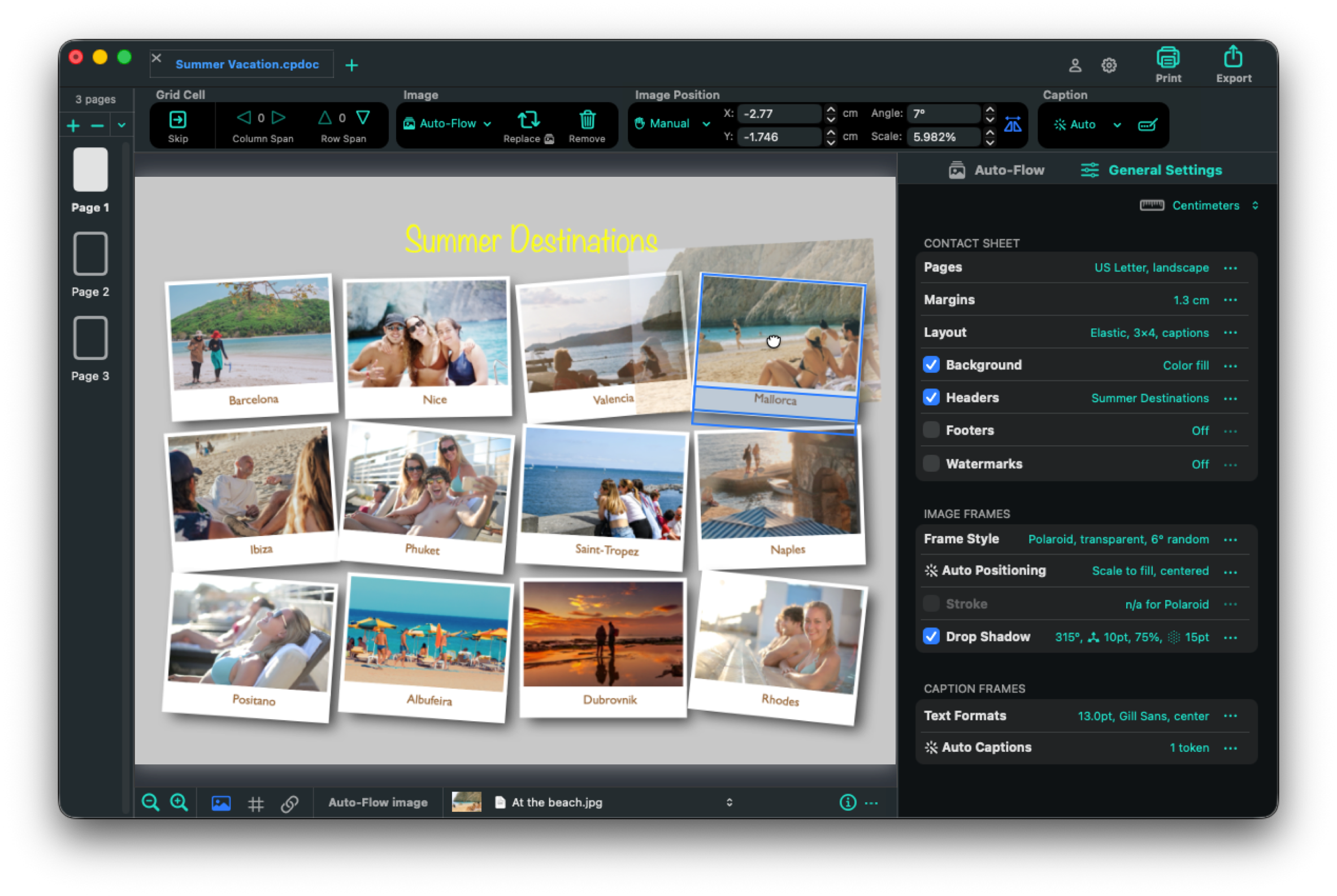
Design visually and work with confidence. Reposition images, select and edit multiple frames, drag and drop images from the Finder, and zoom or pan around the page for precise adjustments.
Design Once, Apply Everywhere.
Customize every aspect of your document from a single location. Adjust page layout, margins, backgrounds, headers, footers, watermarks, frame styles, captions, and text formatting. See every change instantly in the live preview.
ContactPage Pro combines intelligent automation with complete creative freedom. Automatically fill your layouts using the Auto-Flow image list, or take
full control by manually positioning images exactly where you want them.
Customize scale, rotation, frames, and captions with just a few clicks.
Everything Within Reach.
The Control Bar puts your most frequently used tools at your fingertips. Import or replace images, edit captions, and customize grid cells without leaving the page.
Fine-Tune Every Image.
Move images freely with the mouse, then use position, scale, and rotation controls for pixel-perfect placement.
Let Auto-Flow Do the Heavy Lifting.
Have hundreds—or even thousands—of images? No problem.
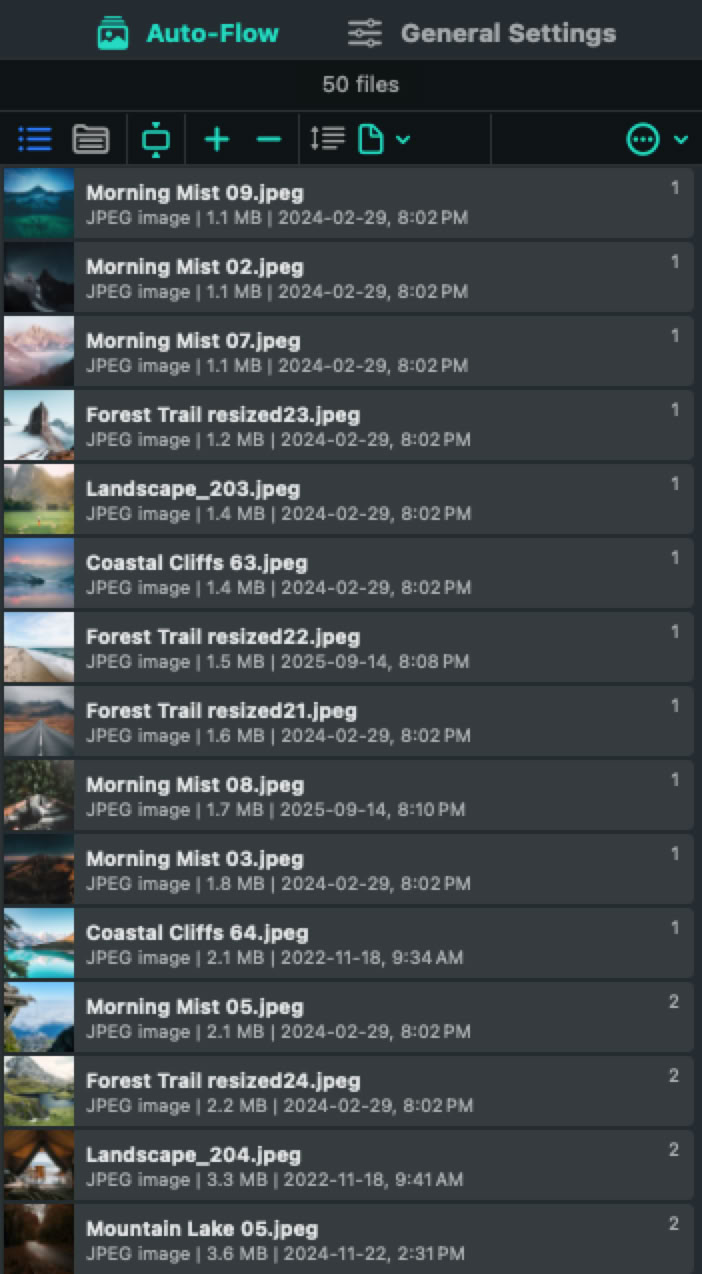
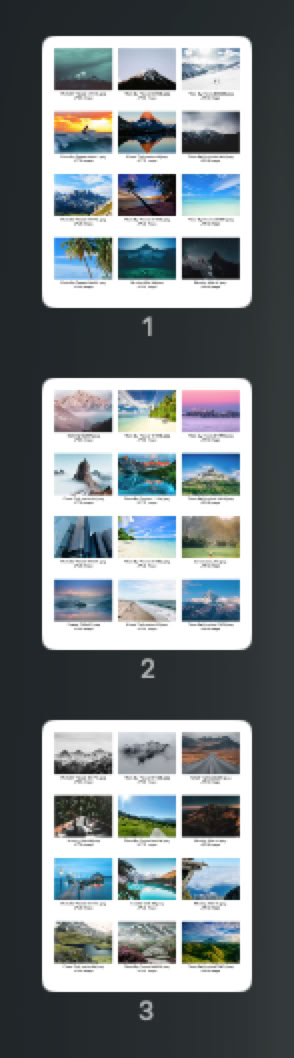
Auto-Flow automatically fills pages and image frames in seconds while maintaining the layout you’ve designed. Simply add images and folders to the Auto-Flow list and let ContactPage Pro build your document page by page.
Auto-Flow adapts to the way you organize your images. Sort files by name, date, or custom order, rearrange them by dragging rows in the list, or switch to the Files and Folders view to keep images grouped by their containing folders. For larger projects, ContactPage Pro can even begin a new page whenever a new folder is encountered.
Need more control? Auto-Flow and manual editing work seamlessly together. Use Auto-Flow to create the initial layout, then reposition images, embed them to lock their location, edit captions, and refine individual cells to achieve exactly the look you want.
Drag. Place. Create.
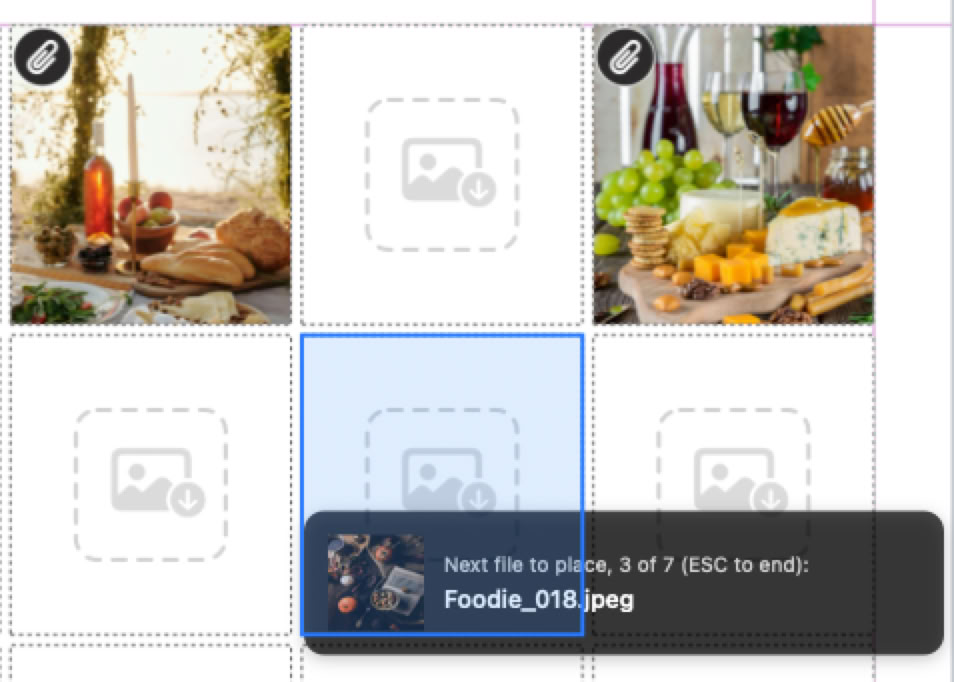
Select one image – or dozens – and start placing them directly onto your pages with the new loaded cursor of ContactPage Pro 8. Simply click any empty image box to place the next image in the sequence, giving you complete control over the final layout.
Perfect for photo books, catalogs, and custom page designs, the loaded cursor lets you fill pages at your own pace while ContactPage Pro keeps track of the remaining images.
Prefer drag-and-drop? Simply drag multiple images or folders from the Finder onto the page and ContactPage Pro will load them into the placement cursor automatically.
Bonjour. Hallo. ¡Hola!
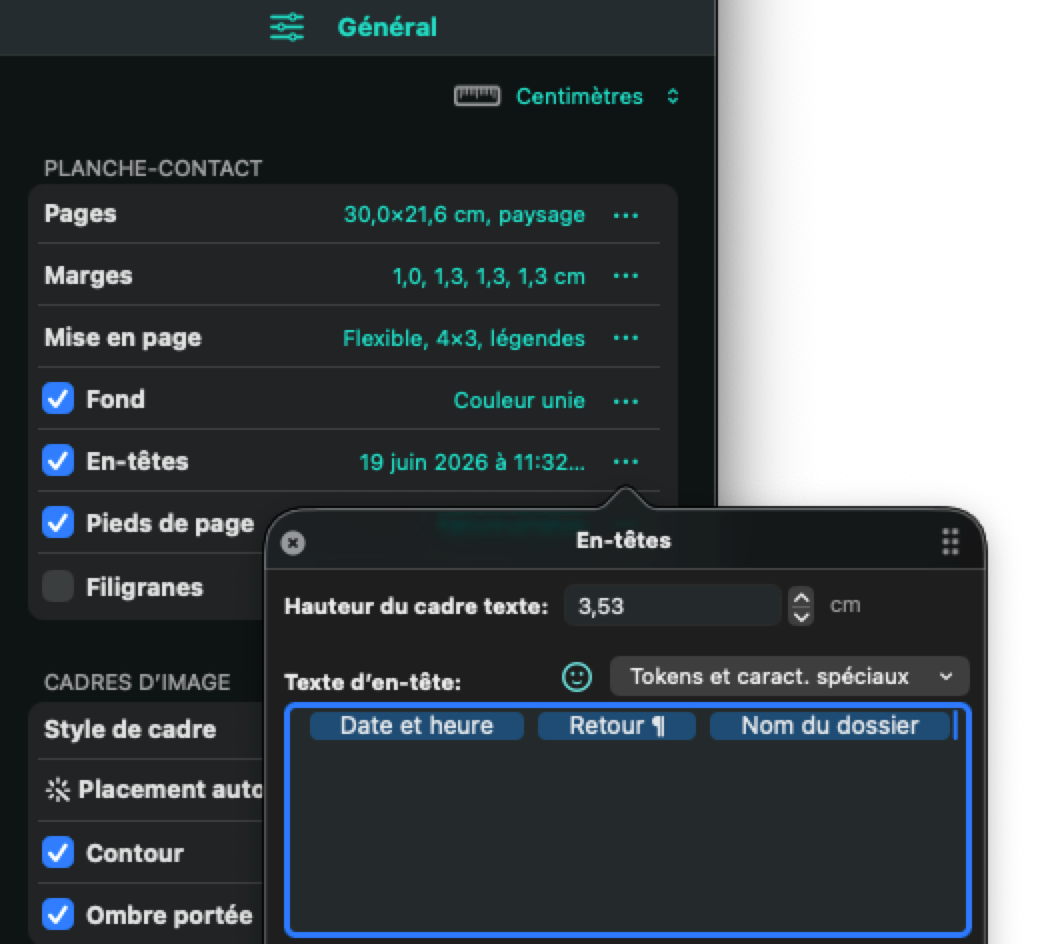
ContactPage Pro 8 now speaks your language! The entire application is available in English, French, German, and Spanish, making it easy to work in the language you feel most comfortable with. Additional languages will be added in future releases as ContactPage Pro continues to grow.
Every translated version has received special attention to detail, from terminology and phrasing to window layouts and spacing, creating a more natural experience for users around the world.
Whether you’re creating image catalogs in Paris, photo books in Berlin, or contact sheets in Madrid, ContactPage Pro is ready to work the way you do.



Ready to Export, Print, Share, and Archive.
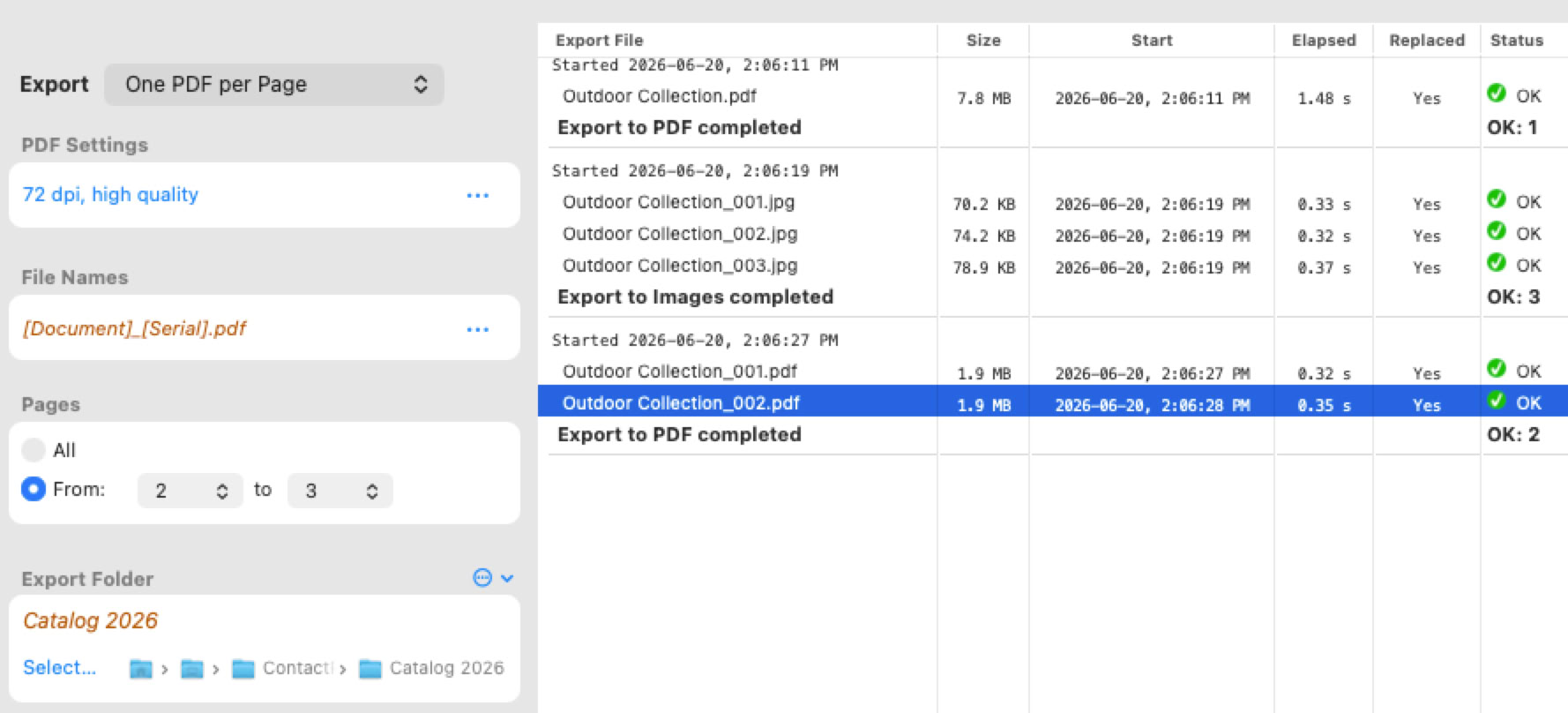
When your document is complete, ContactPage Pro gives you flexible export options for every workflow. Create a single multi-page PDF, generate one PDF per page, or export each page as an individual image file – perfect for sharing, publishing, or further processing.
Choose the pages to export, adjust PDF or image quality settings, define resolution and encryption options, and customize file names using variables such as the document name, page number, serial number, date, and more. ContactPage Pro can even remember your recently used export folders to help streamline repetitive tasks.
Every export is automatically recorded in the Export History, providing a detailed log of completed jobs, including file names, sizes, processing times, and status information. Export histories can also be saved for future reference, making it easy to track and verify your output over time.
ContactPage Pro 8 also includes comprehensive printing support, allowing you to print entire documents or selected page ranges directly from the application. Choose from multiple print quality settings to balance speed, file size, and output quality, whether you’re creating quick proofs or high-quality printed publications.
Ready to Create Something Amazing?
Download the trial version and discover how easy it is to create
contact sheets, catalogs, photo books, portfolios, and more.
During the trial mode, documents will be exported with a DEMO watermark from page 3 of the document.
You can create, open and save documents anytime during the trial mode.
Photos courtesy of Pexels contributors.
What’s New In ContactPage Pro 8
Version 8.0.0, released June 22, 2026
Download Trial
Older Versions